
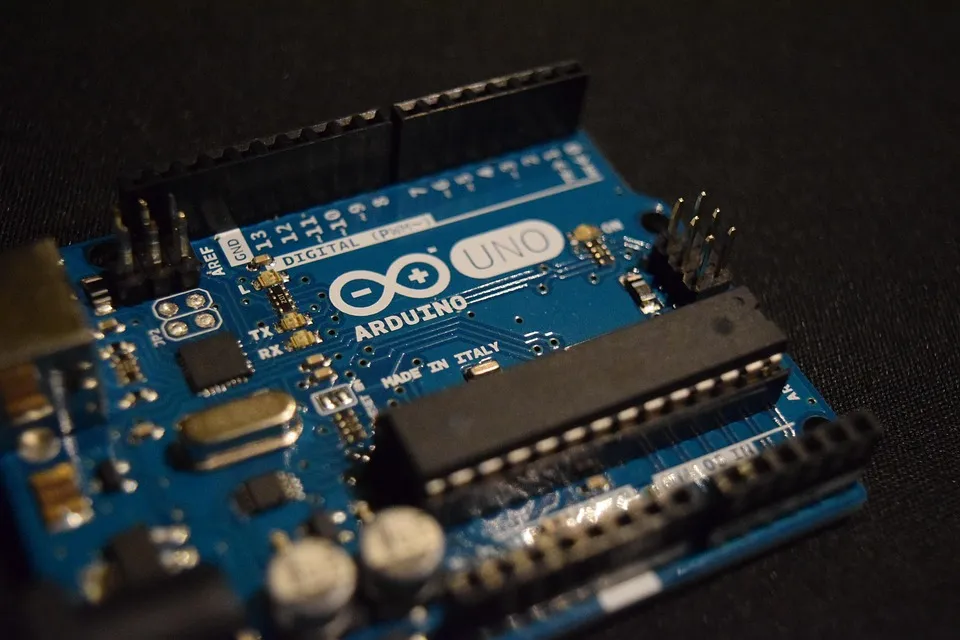
Maker Creates BASIC interpreter for Arduino Boards
Recently, maker shachi-lab has created a BASIC interpreter for the Arduino Uno R3 that aims to provide a simplified programming environment while still allowing for hardware access. The project, called NanoBASIC UNO, is a minimal BASIC interpreter that runs on the Arduino Uno R3 and other microcontroller boards based on the ATmega328P (such as the Arduino Nano or Arduino Pro Mini). While the project itself is new, the BASIC interpreter is based on an older version that was made to run on the STM8S platform. However, unlike the STM8S version which is somewhat limited in its capabilities, the NanoBASIC UNO interpreter is a modernised version that utilises many modern features including support for unary operators, bitwise logic, shifts, and compound assignment. This makes the BASIC interpreter far more expressive and easier to use compared to classic BASIC variants.
The NanoBASIC UNO interpreter takes advantage of the serial port on the Uno for two main reasons. The first is that the serial port can be used as a REPL (Read-Evaluate-Print Loop), whereby the user can enter commands over the serial port, have them executed, and see the result. This means that NanoBASIC UNO can be used in a similar fashion to the Python REPL where programs are entered and executed immediately. The second reason for using the serial port is that this also allows for multi-line programs to be entered and executed. Programs can be saved to onboard non-volatile memory (e.g., flash or EEPROM), and then loaded later, but the REPL provides a convenient way for testing programs before saving them.
Line numbers are not required in NanoBASIC UNO, and they are only used when performing jump operations. Loops and other structured control flows do not require line numbers, and these can be used freely.
The NanoBASIC UNO interpreter also allows for direct hardware access to GPIO, ADC, and PWM output. As such, programs can be written to control hardware directly, and examples provided by the project demonstrate how digital outputs can be toggled, read external switches, read analogue values, and even perform PWM.
How can NanoBASIC help with projects?
NanoBASIC is an excellent choice for anyone looking to simplify their coding process. Even though BASIC is not the most popular language in the world, it is arguably one of the easiest to learn thanks to its simple syntax and focus on basic functions.
Furthermore, the use of a REPL allows for NanoBASIC projects to be tested and debugged before they are even fully formed, providing immediate feedback on code changes. The ability to create multi-line programs without the need for line numbers also helps to keep code clean and organised and can reduce parsing or management overhead compared with numbered-line BASIC.
However, the real power of NanoBASIC comes from its ability to be used on extremely small microcontrollers with limited memory and processing capabilities. By using an interpreter instead of a compiler, NanoBASIC can run on any device that has enough RAM to hold a small amount of program state and variables, and implementation choices help to reduce the memory footprint even further.
It also includes C-like expression parsing with bitwise operators, shifts, and compound assignment operators, giving modern expression capabilities while keeping the language simple. Of course, the biggest advantage of NanoBASIC is that it allows for projects to directly control hardware such as GPIO, ADC, and PWM outputs, read sensors, and control actuators.
This means that NanoBASIC projects can quickly move away from software-only projects and start to interface with the outside world. Another major advantage of NanoBASIC is that it is great for fast prototyping. The use of a REPL allows for code to be tested on the fly without the need to upload a complete sketch, and this can be particularly useful when trying to test a new idea.
NanoBASIC is also open-source and freely available to all under the MIT license which allows for anyone to contribute to its development. This also means that future versions of NanoBASIC can incorporate features and bug fixes provided by others, and this will only help to improve the development of NanoBASIC.
NanoBASIC is also a fantastic tool for educational purposes whether it is teaching the basics of microcontroller programming or how embedded systems work. The simplicity of BASIC combined with the ability to control hardware makes NanoBASIC a powerful tool that can help students understand how hardware works, how to program it, and how to apply their knowledge to real-world projects.
When should I use NanoBASIC?
Whether you're a beginner or an experienced engineer, NanoBASIC can be a valuable tool in your microcontroller programming arsenal. Here are some scenarios where NanoBASIC could come in handy:
When You're a Beginner
If you're new to microcontroller programming or just want an easy entry point, NanoBASIC could be the solution for you. Its simple syntax and focus on readability make it easier to understand and debug compared to other languages like C or C++. Additionally, the interactive nature of NanoBASIC and its support for REPL (Read-Eval-Print Loop) can provide quick feedback as you test and develop your code.
For Rapid Prototyping
In situations where you need to quickly test ideas or experiment with code, NanoBASIC's ability to run on your Arduino and provide instant feedback can be invaluable. Unlike other languages that require lengthy compilation and upload processes, NanoBASIC allows you to iterate and test code changes faster, helping you speed up prototyping times and reduce development costs.
In Resource-Constrained Projects
If you're working with microcontrollers that have limited memory or processing power, NanoBASIC's lightweight design makes it a great option. It is well suited for small microcontrollers like the ATmega328P. By minimizing unnecessary features and focusing on efficiency, NanoBASIC can help you maximize your microcontroller's capabilities while still providing a powerful and flexible programming environment.
For Simple Hardware Control
If you're looking to interface with GPIO pins, sensors, or actuators in your project, NanoBASIC's straightforward I/O functions can simplify things significantly. Compared with some environments that often require additional libraries or setup, NanoBASIC provides straightforward functions for reading and writing to GPIO pins and communicating with external devices.
When You Need Flexibility in Small Projects
NanoBASIC's simplicity and modern features make it an excellent choice for small-scale embedded systems or simple automation tasks. Whether you're building a robot, home automation system, or just want to automate a few household gadgets, NanoBASIC's powerful yet easy-to-use features can help you get the job done quickly and efficiently.
For Educational or DIY Projects
If you're teaching microcontroller basics to students or just want to work on a DIY project, NanoBASIC could be the perfect language for you. Its simplicity and focus on readability make it easier for both you and your students to understand and debug code, while its modern features and support for interactive programming can help keep things interesting and engaging.
When Working on Low-Power Applications
In situations where energy efficiency is paramount, NanoBASIC's efficient use of resources can be hugely beneficial. By minimizing unnecessary features and optimizing code performance, NanoBASIC can help you extend battery life or reduce power consumption in low-power devices like wearables, IoT sensors, or remote controllers.
When Portability to Other Platforms Is Not a Concern
If you're focused on the AVR/Arduino ecosystem (for example, ATmega328P) rather than cross-platform portability, NanoBASIC could be a great choice for you. Its focus on simplicity, efficiency, and modern features make it a powerful tool for microcontroller programming, even when working within the AVR/Arduino ecosystem.
You may also like